
Platform
Everything it does. Screen by screen.
Learn and play
Courses, video and PDFs in one place. Every one tracked.
Learners find what applies to them, open it in the right player, and pick up where they stopped.
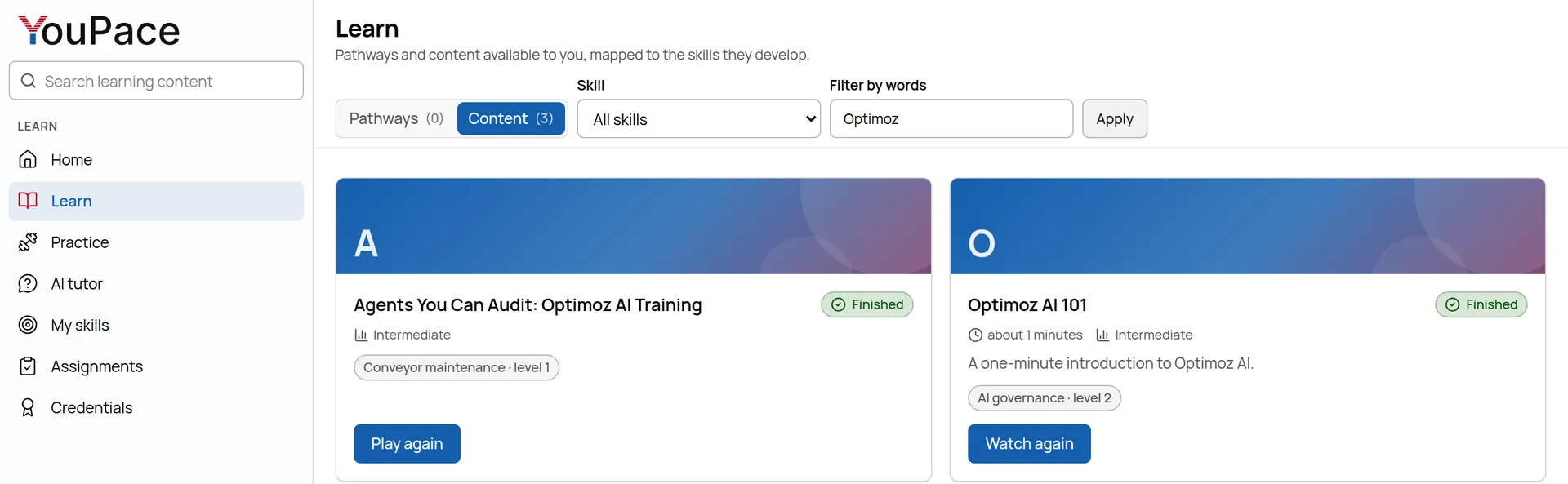
Catalog by audience.
Published pathways and content for the person’s role, department and location, filterable by skill.
Search by words and meaning.
Across only what the person may see, returning the passage with its page, lesson or timestamp.
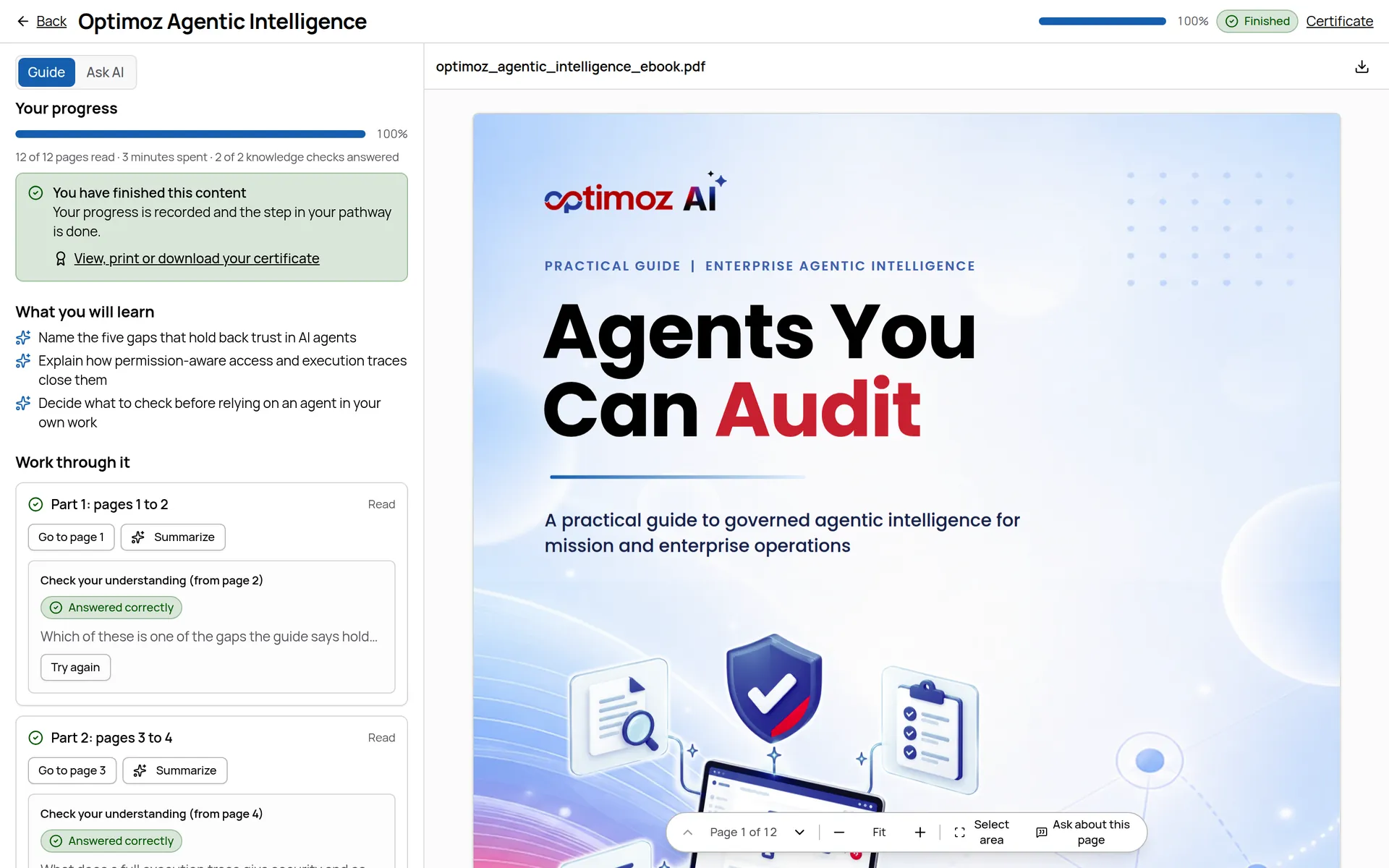
Guided PDF reader.
Continuous pages, zoom and resume. Time counts only while the tab is in view and in use.
Fair video tracking.
Counted in short stretches that must be mostly played. Speeds from 0.75x to 2x, and Back 10 seconds.
Course player.
SCORM 1.2 and 2004, cmi5 and Tin Can in the browser, with bookmarks, status, score and time kept between visits. SCORM 2004 sequencing rules decide which lessons are open.
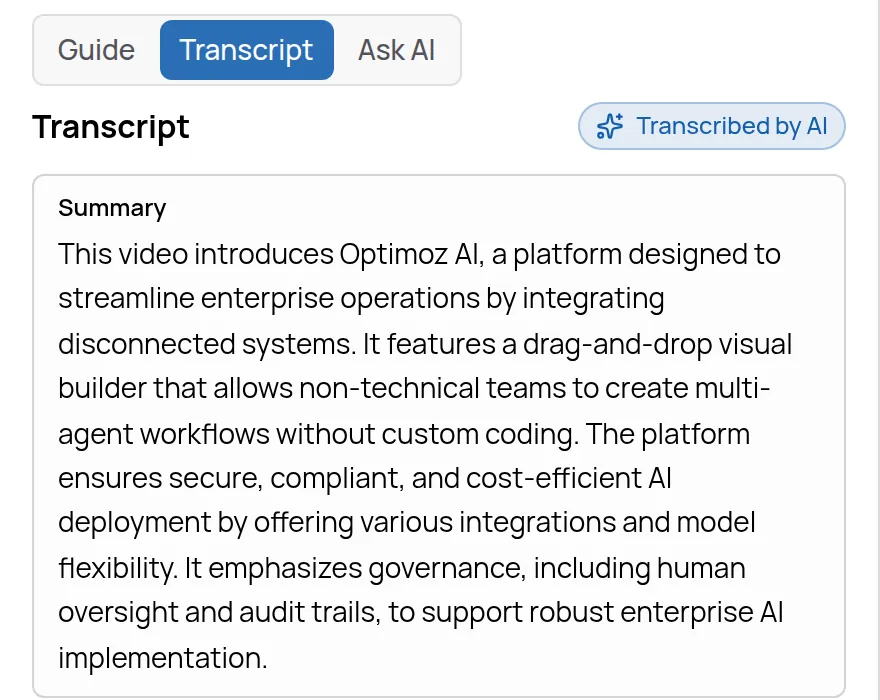
AI transcripts and captions.
One click in the studio gives a video or recording captions, a summary and a clickable transcript, for files up to 20 MB.
Pathways.
Ordered steps of content, assessments and on-the-job tasks. Steps you already hold verified evidence for are marked tested out.
Recommendations with reasons.
Pathways that close the person’s role gaps, critical gaps first, each with why.
AI tutor
A tutor that cites. Or says it can’t.
Answers come only from published, in-audience, unexpired content whose rights allow AI indexing.
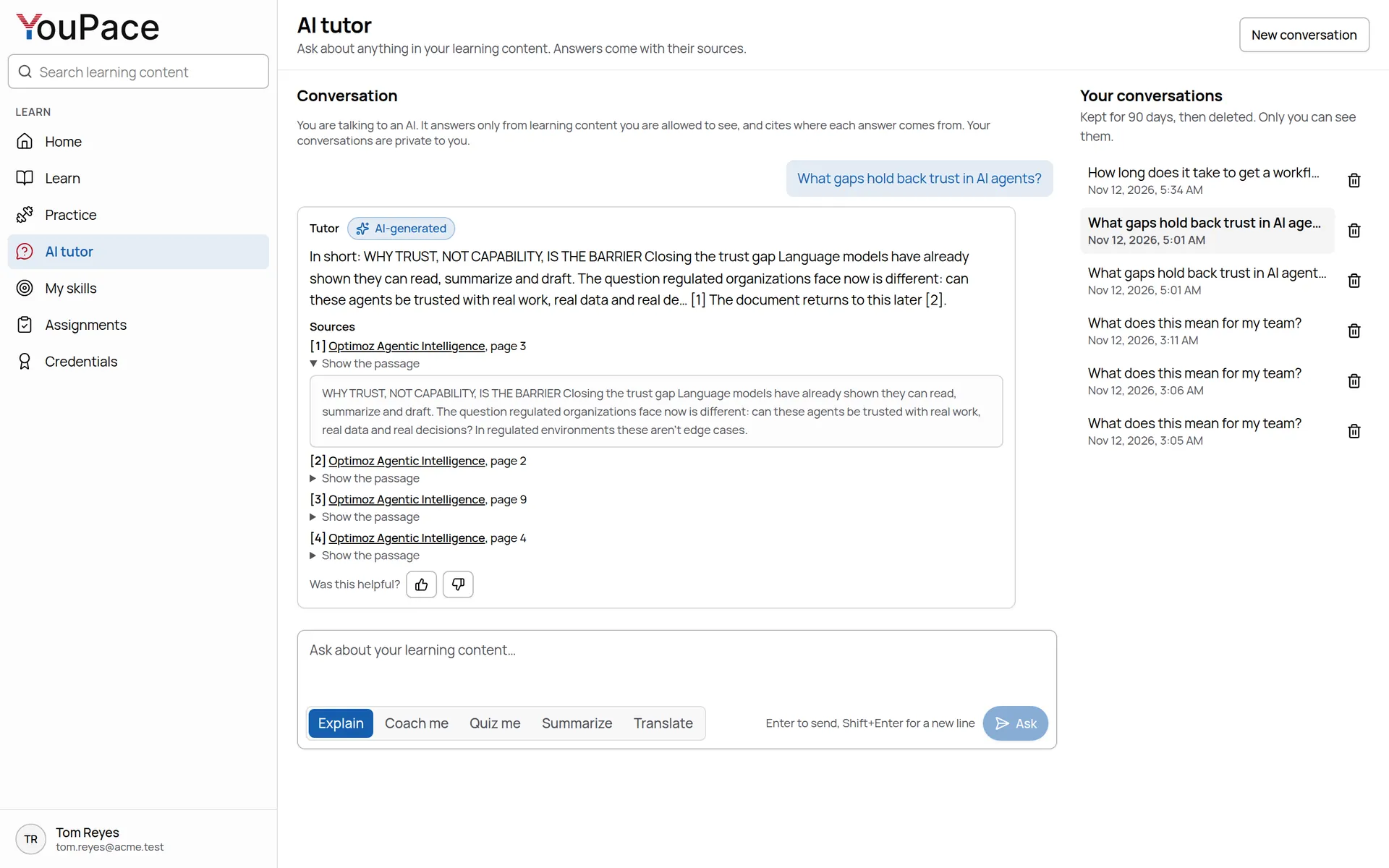
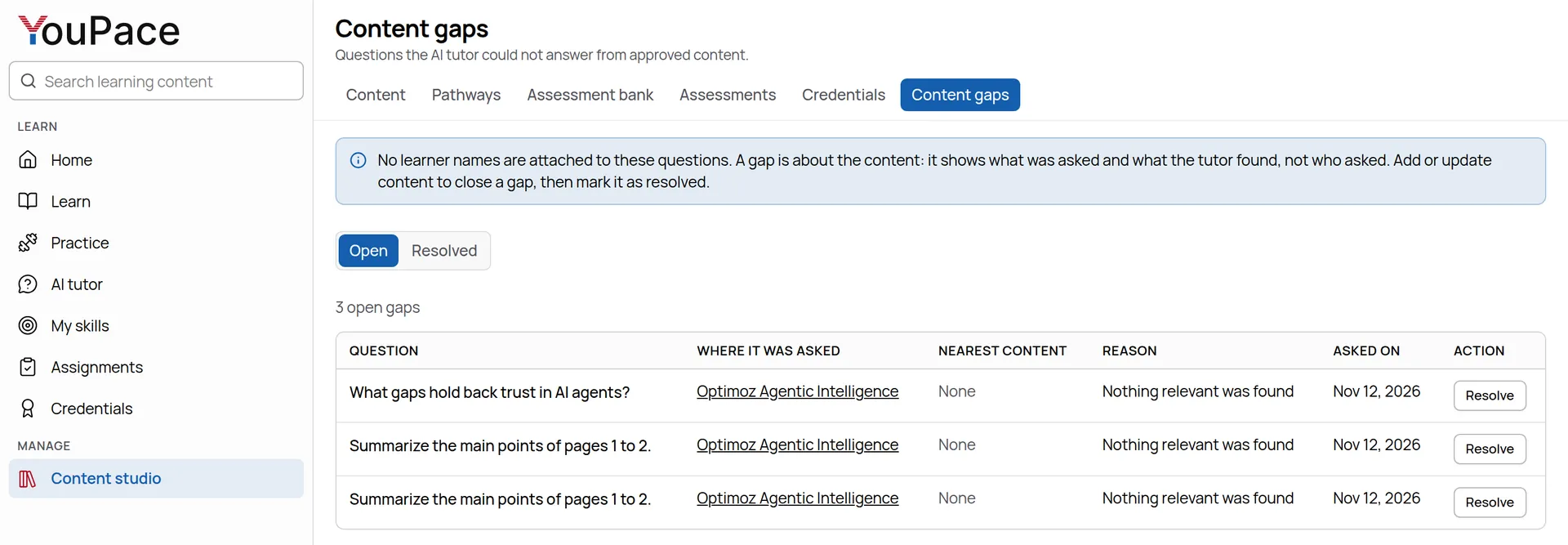
Citations on every grounded reply.
Source, version, and page, slide, lesson or timestamp, with the excerpt.
Honest refusals.
No support means “I could not find this”, logged as a content gap with no learner name.
Five modes.
Explain, Coach me, Quiz me, Summarize and Translate, pitched to the learner’s level.
Ask about anything on the page.
A text selection, a dragged area of a page, or a page range up to 40 pages.
Streams as it writes.
With up to three suggested follow-up questions.
Test-aware.
During a graded assessment the tutor is off, coaches only, or works as usual, as your organization sets.
Injection guard.
Questions that look like prompt-injection attempts are refused before any model is called.
Private conversations.
No role, not even an administrator, can read someone else’s conversations.
Skills and evidence
One skills language. Evidence behind every level.
Content, tests, roles and credentials all point at the same governed skills.
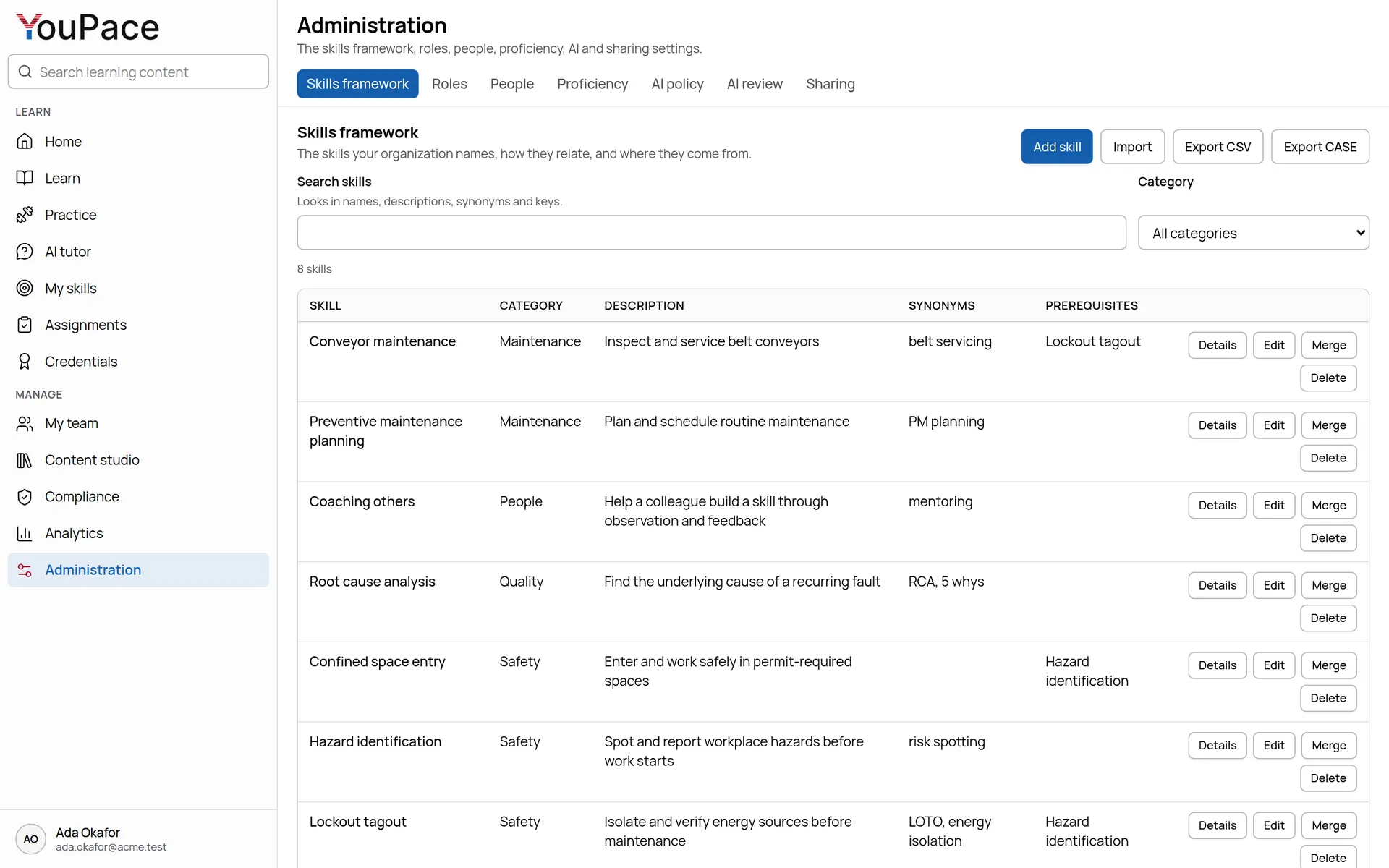
Your framework.
Categories, descriptions, synonyms, prerequisites and related skills.
Import and export.
CSV or CASE 1.0 JSON.
Merge without loss.
Merge one skill into another, and roles, content, pathways, items, credentials and evidence are remapped.
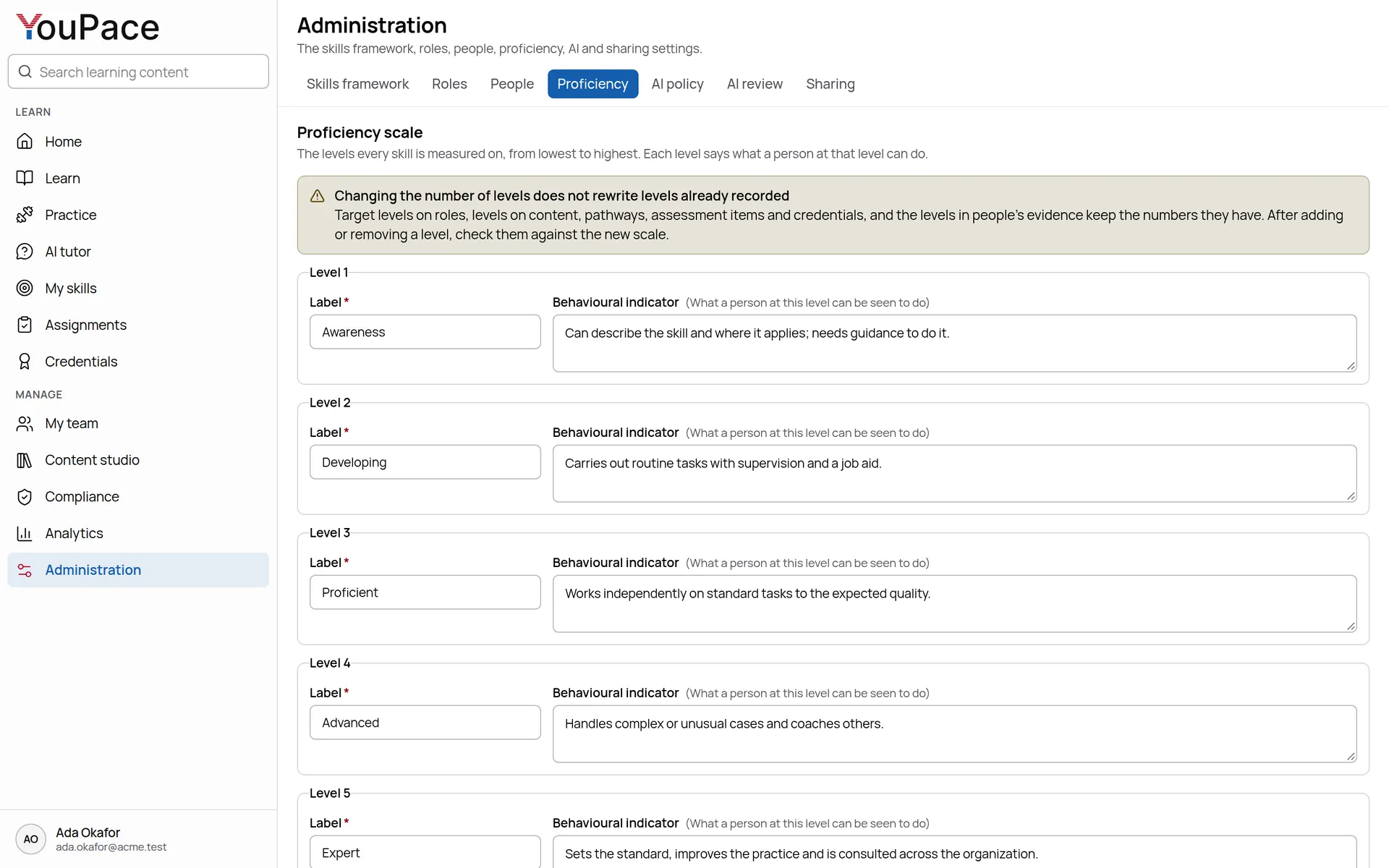
Your scale.
From 2 to 10 levels, each with a label and a behavioral indicator. The default is five.
Role profiles.
Required skills with target levels and critical flags.
Five evidence types.
Self-assessed and inferred count as unverified; assessed, observed and credentialed count as verified.
Met or claimed.
A requirement is met only with verified evidence at the target level. Otherwise it shows as claimed.
Evidence ages.
Confidence falls with age, and a refresh is flagged, on rules you set.
Dispute it.
People see every piece of evidence about them and can dispute it; disputed evidence stops counting at once.
Practice, tests and credentials
Prove learning. Not just completion.
Practice freely, test with questions you approve, and earn credentials on verified skills.
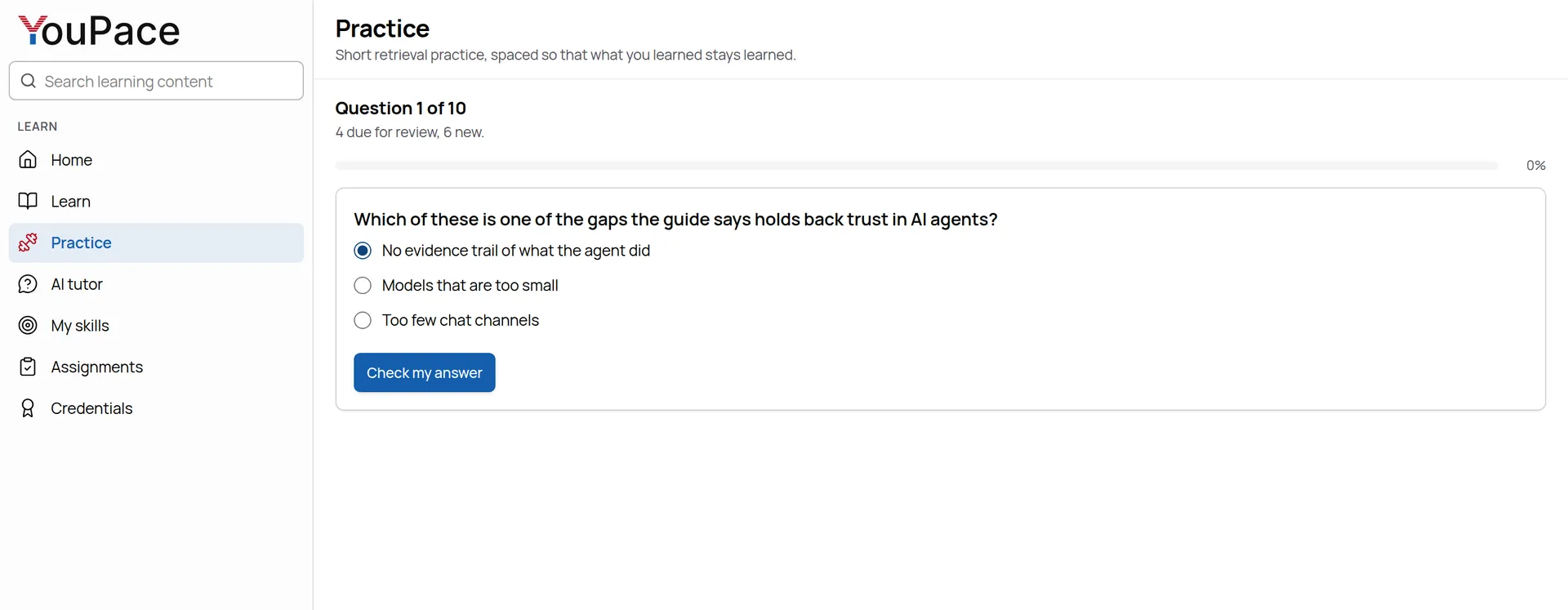
Spaced practice.
An SM-2 schedule brings back what’s due. Each answer is scored, explained and never graded.
Knowledge tests.
AI writes 3 to 10 multiple-choice questions per training. Learners see them only after approval.
Assessment bank.
Six item types, every item aligned to at least one skill.
Assessments.
Pass mark, time and attempt limits, shuffle, and random draw. Answer keys are shown only after submission.
People score open answers.
An AI-suggested score is available and is never saved by itself.
Accessible timers.
Stated up front, always visible, announced at 5 and 1 minutes.
Credentials on rules.
Defined over verified skills at levels, with validity and automatic issue.
Open Badges 3.0.
Downloadable JSON-LD that identifies the holder by a salted hash, not their email.
Certificates of completion.
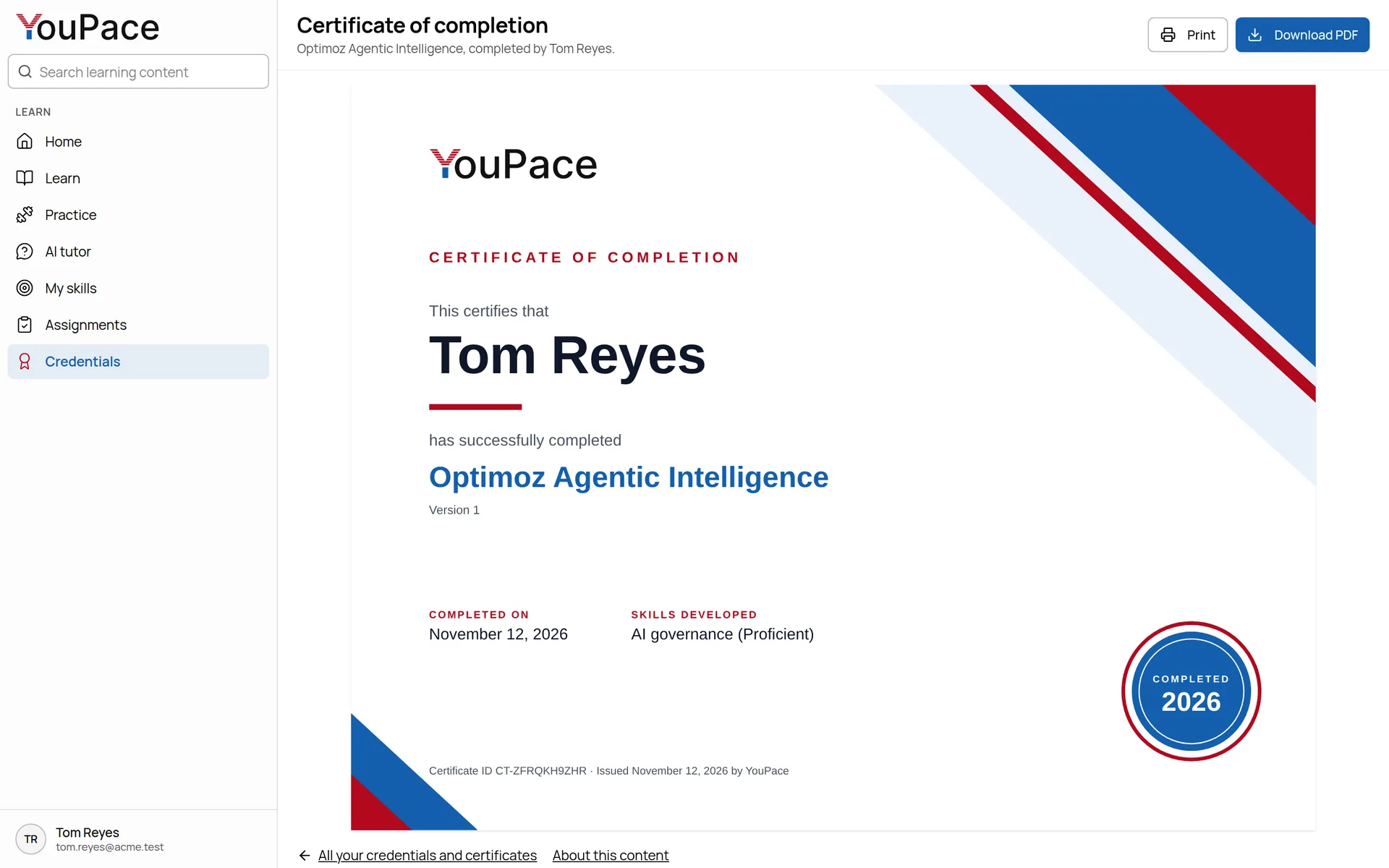
Frozen as issued. Print on one landscape page or download a PDF.
Author and publish
A governed library. With AI doing the first draft.
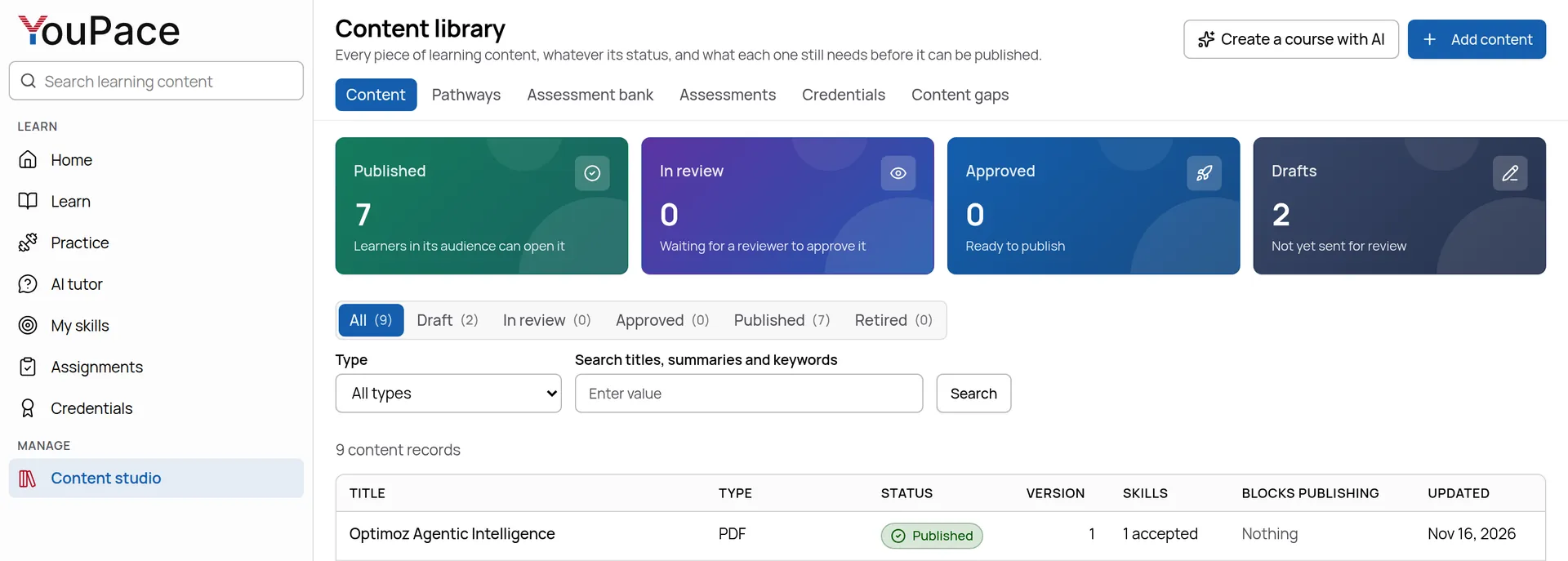
Every item carries its rights, audience, status and version, and shows exactly what still blocks publishing.
Rights at upload.
Owner, license and expiry, plus four permitted uses: display, AI indexing, AI generation and download. Expired rights permit nothing.
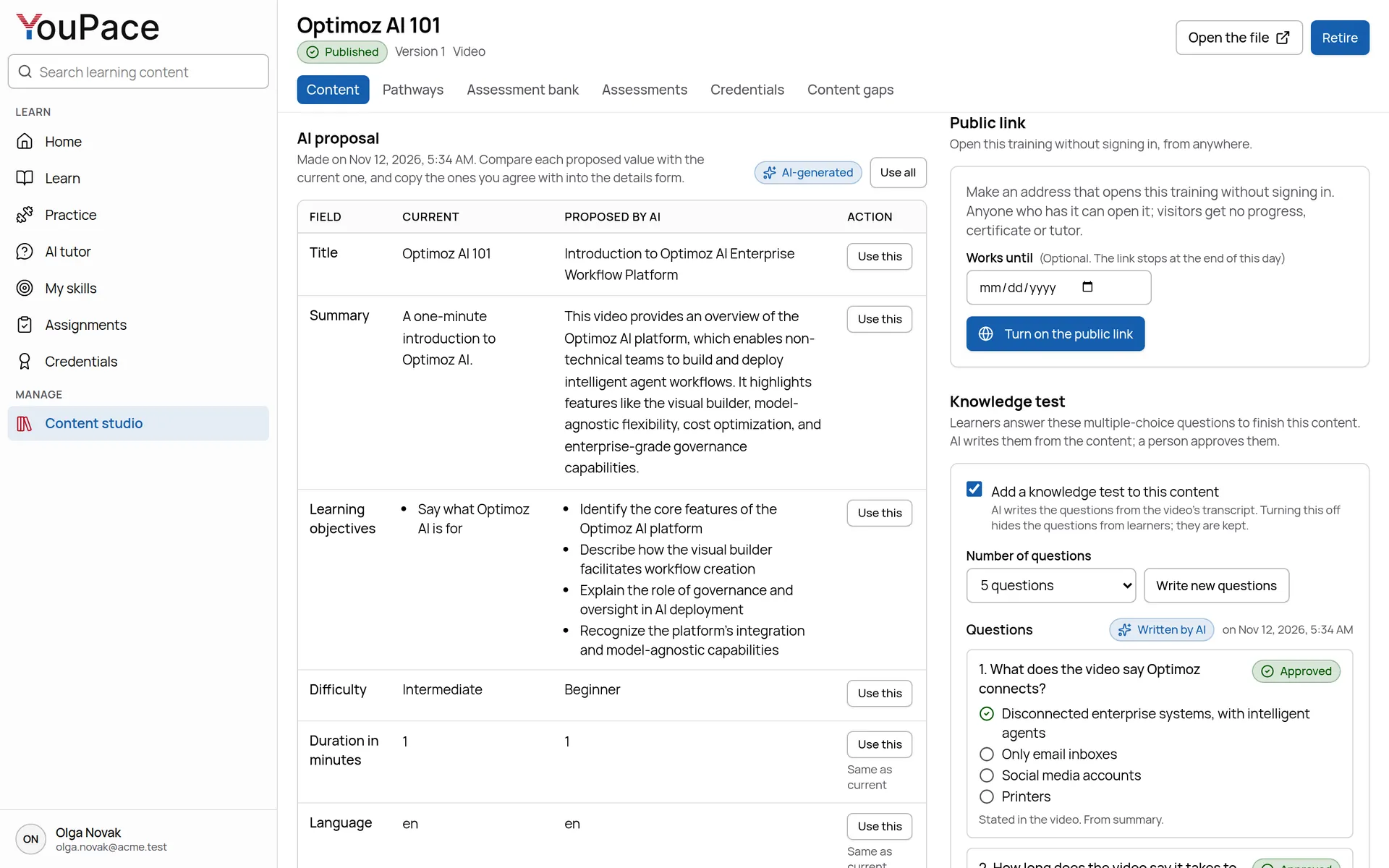
AI proposals with reasons.
Title, summary, objectives, difficulty, duration, audience, language, keywords, and skill mappings with a confidence score and a one-line rationale.
Expert review.
Mappings below your confidence threshold are flagged for an expert.
Publishing gate.
Blocked while a mapping is undecided, none is accepted, or rights don’t permit display.
Review workflow.
Draft, in review, approved, published, retired, with every move audited.
Versions.
A new version keeps the history and returns to draft for review. Completions record the version.
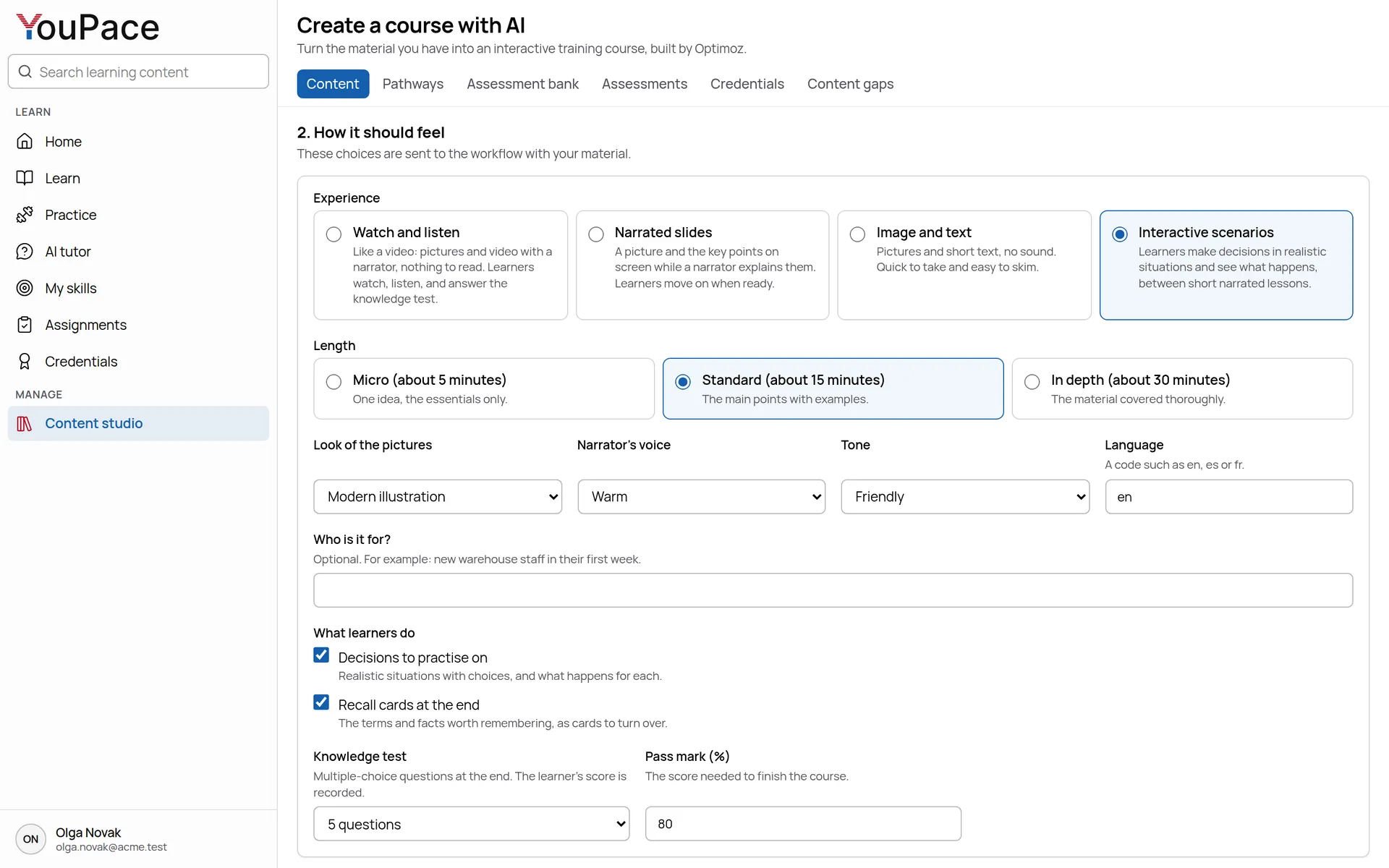
AI course builder.
Four experiences, three lengths, and your choice of look, voice, tone and language.
SCORM package editor.
Rename, reorder and edit lessons, page text and image alt text, preview, then save as a new version that keeps learners’ progress.
Lesson text for search.
YouPace reads a package’s lesson text so search and the tutor can cite the lesson.
Content usage.
Opens, completions, completion rate, tutor questions and open gaps per item.
Public links
Training for anyone. Under your control.
Share a published training with contractors, partners or the public, without creating accounts.
Off by default.
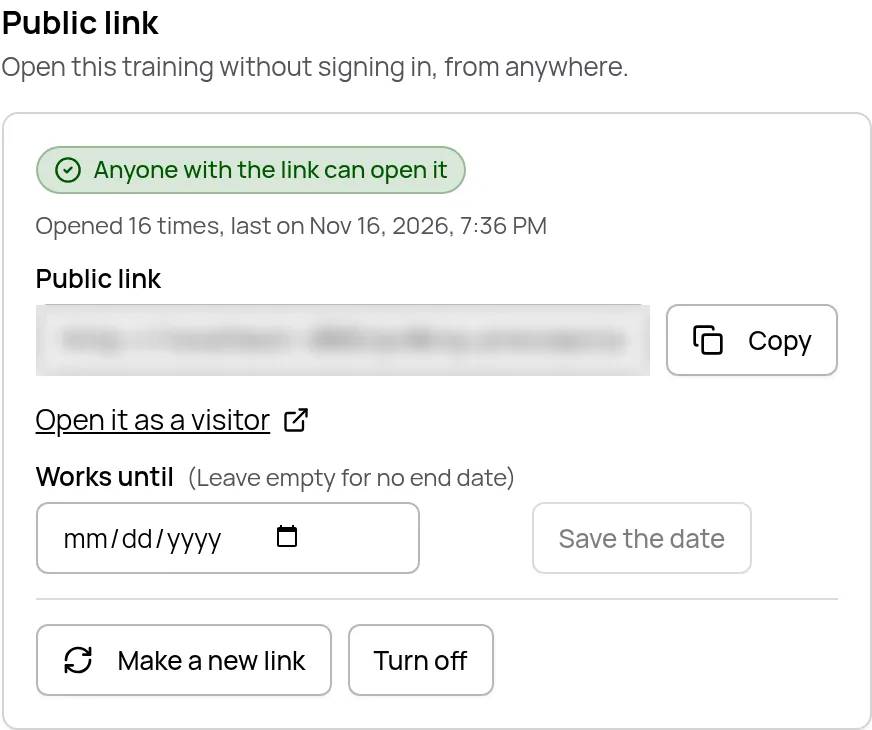
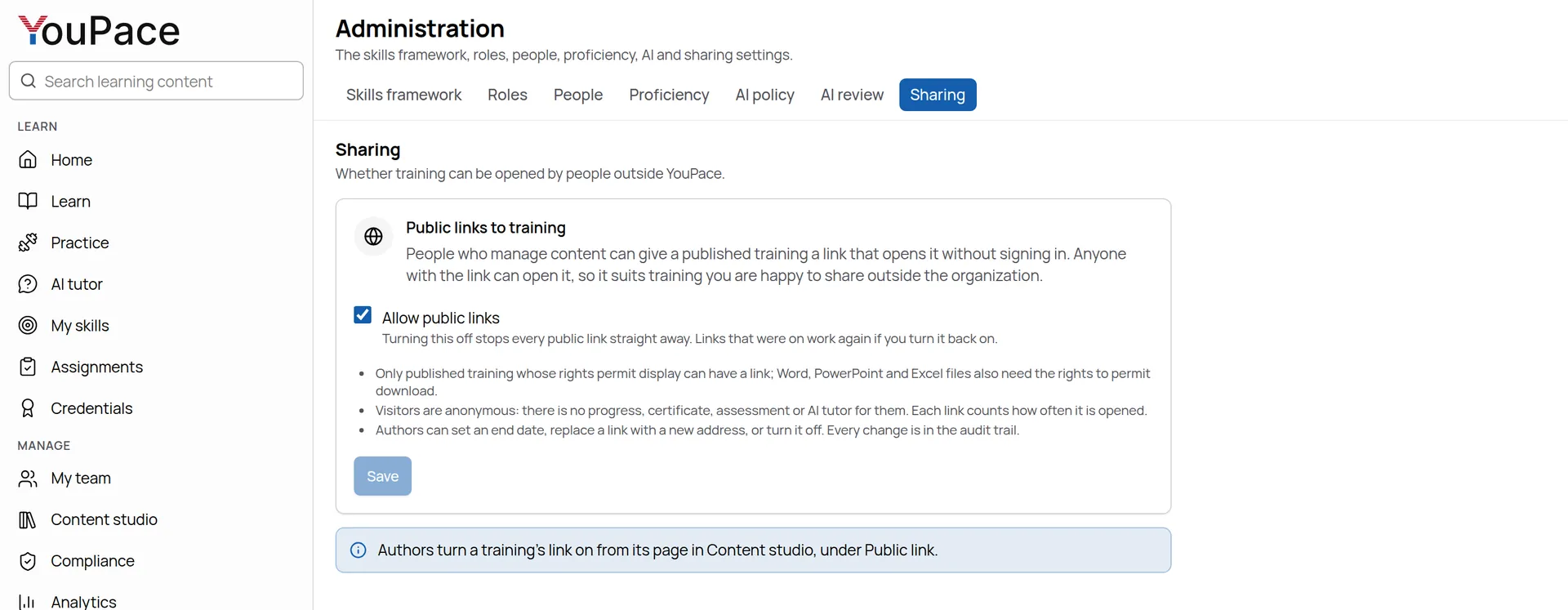
An administrator allows public links for the organization; then authors turn one on per training.
End dates and new addresses.
An optional “works until” date. Make a new link at any time.
One switch stops all.
Turning the organization setting off stops every link at once.
Same rules as inside.
Works only while the training is published and its rights permit display.
Private addresses.
The link’s token travels after the #, so it never reaches server logs or other sites. Public pages are sent noindex.
Guest progress, kept by the guest.
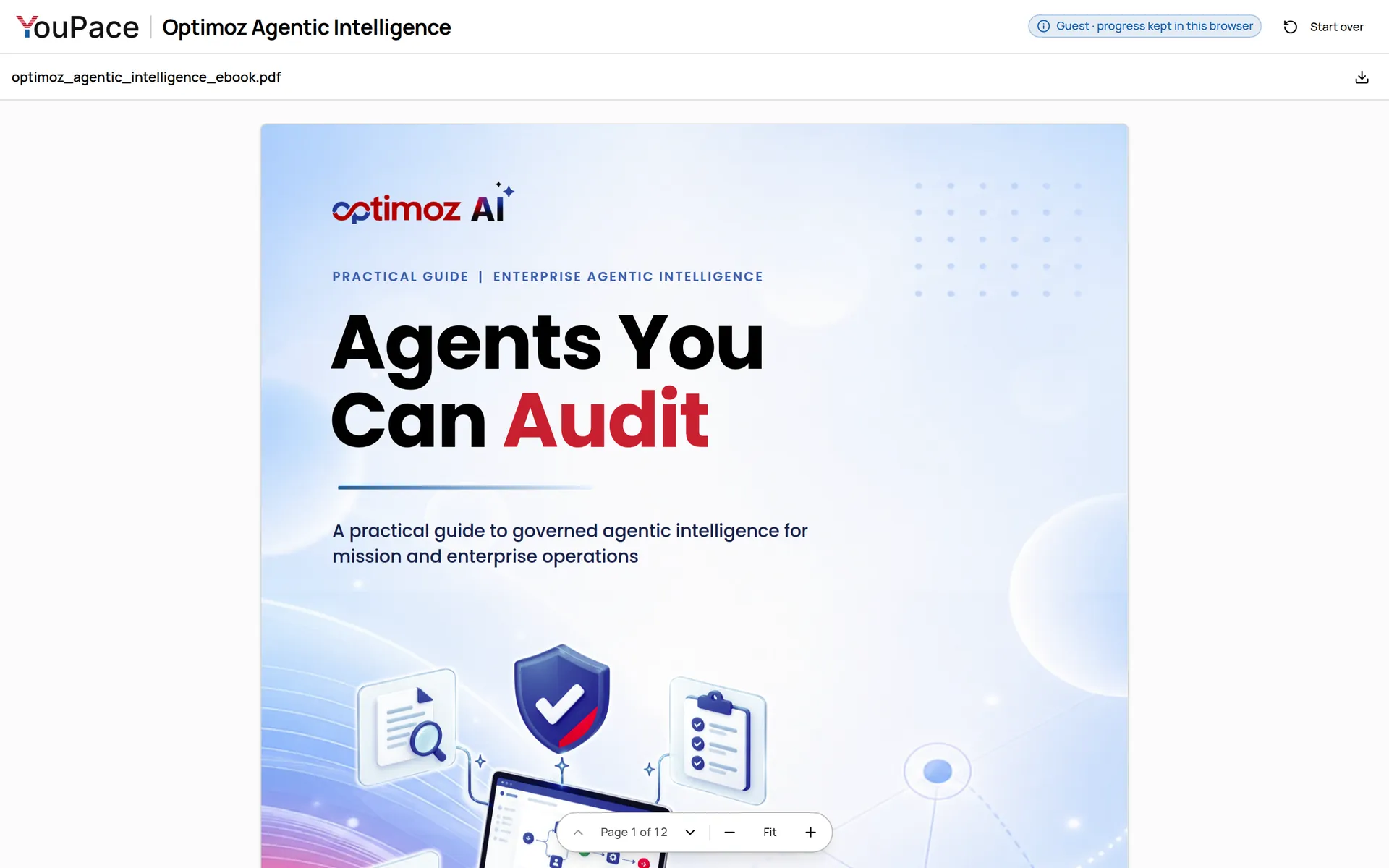
SCORM, PDF and video progress is kept in the visitor’s own browser for 90 days. Only a count of opens is kept about visitors.
Assign, comply and audit
Mandatory training. With the proof attached.
Know who has done what, on time, on which version, and show it.
Assignments with due dates.
Managers assign to their reports, compliance officers to anyone, anyone to themselves. Overdue and due-soon are always live.
Rules-based mandatory training.
By role, department, location and hire date, due again a set number of months after completion.
Attestations.
Statement, typed name, signed-in account and time, kept on the record.
Compliance view.
Status, due date, on-time, version completed, score and attestation, with filters and an on-time summary.
CSV export.
Spreadsheet-safe cells, and every export is itself audited.
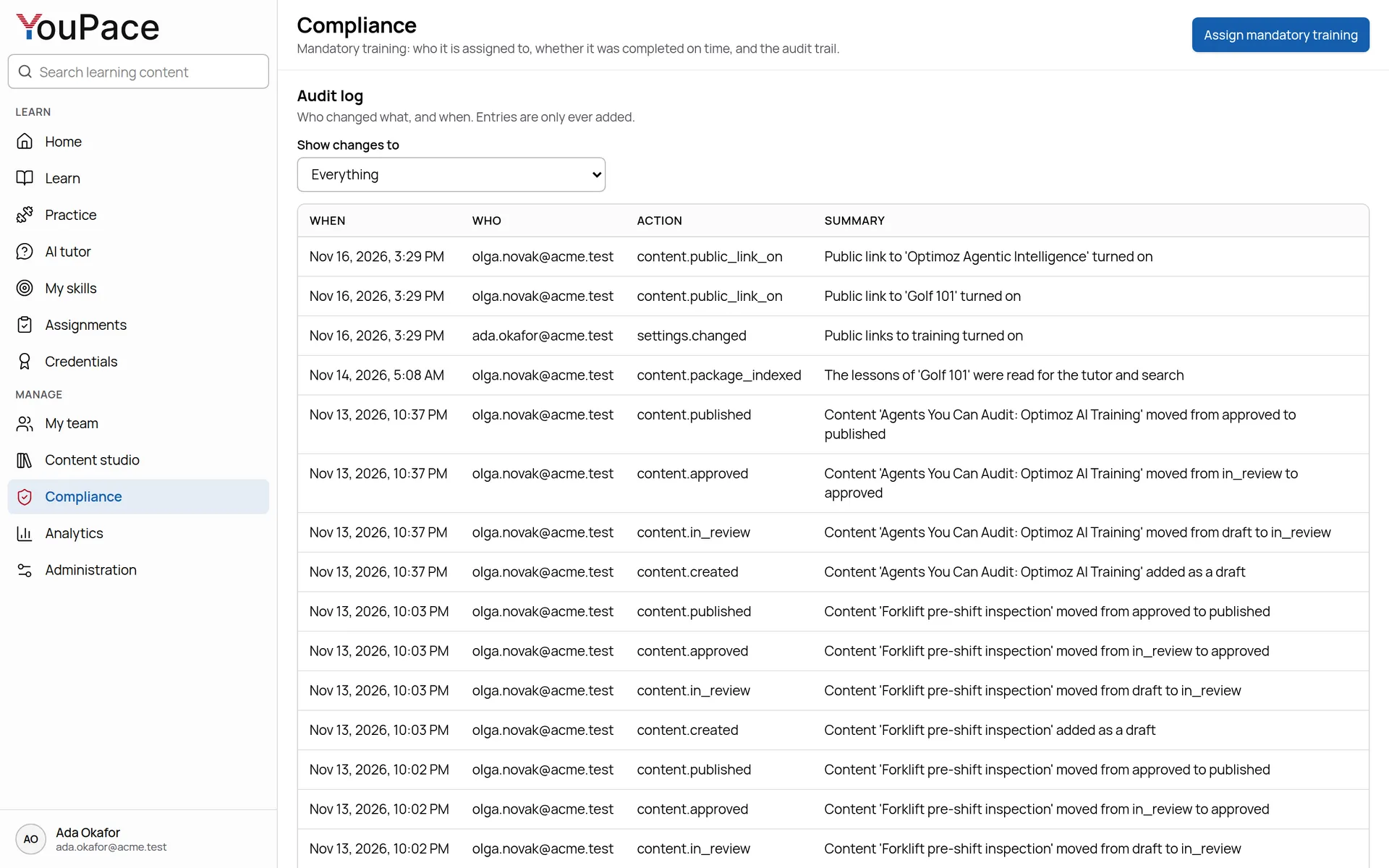
Audit log.
Who changed what, filterable by entity, action, actor and date.
Analytics without names.
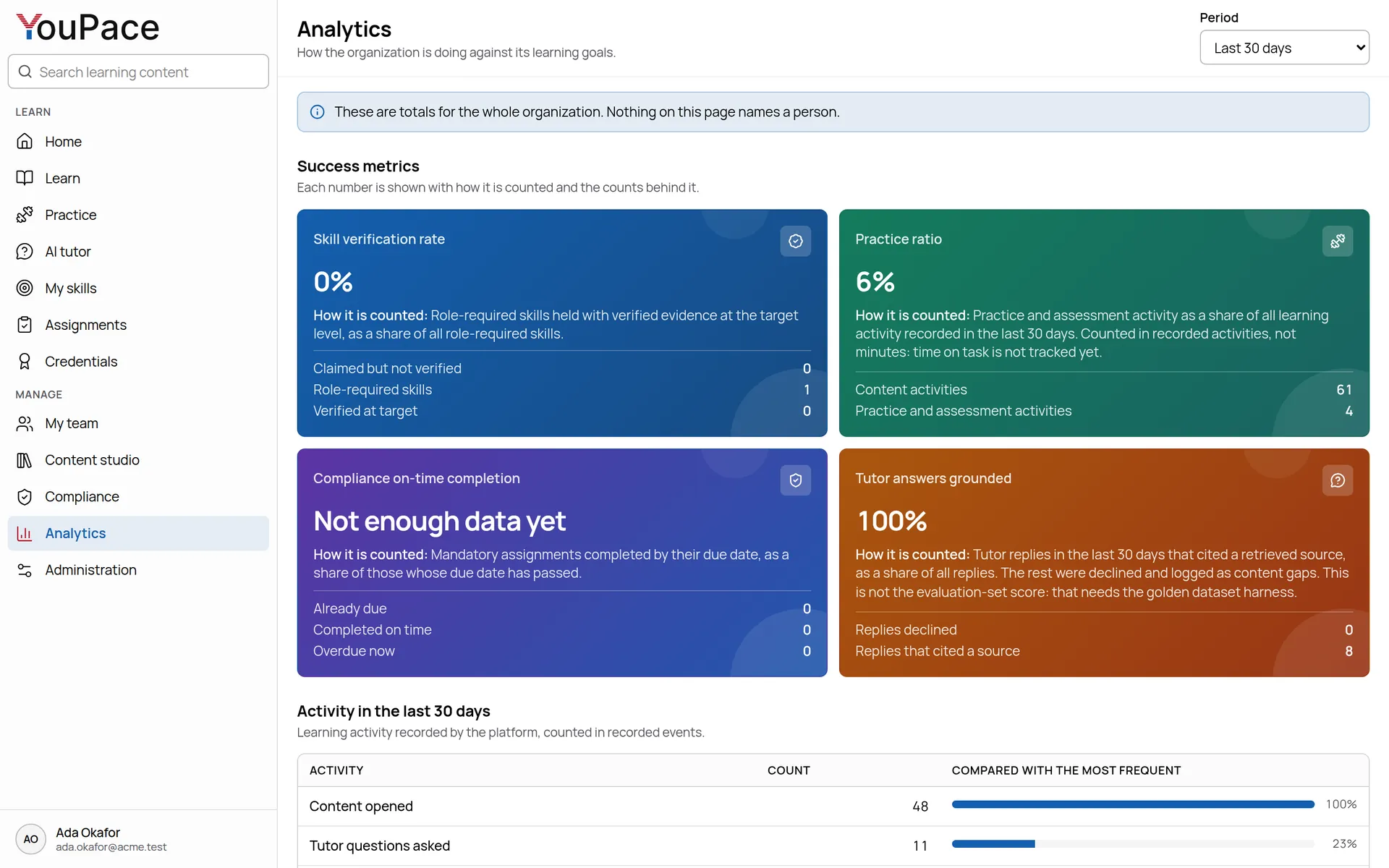
Skill verification rate, practice ratio, on-time completion and tutor answers grounded, each with how it’s counted, plus required skills with no content.
A learning record store.
Everything is recorded as xAPI statements, and an administrator can have each one sent on to your own LRS as it is recorded.
Platform and performance
Built on Optimoz. No waiting for the whole course.
YouPace runs on Optimoz platform services and opens long courses a file at a time.
Optimoz ICAM.
Sign-in, organizations and five YouPace policies. The menu shows only what a person’s policies grant.
Tenant isolation.
A database per organization and an organization filter on every query.
Virus-scanned uploads.
Every upload goes through the Optimoz asset service.
Courses open a file at a time.
Only the manifest and first page are fetched before a course opens. The rest follows as lessons ask.
Long PDFs open at once.
Pages are drawn as they come into view.
Light and dark themes.
Text contrast of 7:1 in both. Reflows down to 320px.
Desktop and phone-width browsers.
No app to install.
Several organizations, one sign-in.
Switch between organizations from the account menu.
Standards
Open standards. Stated precisely.
What YouPace supports, and exactly how far.
| Standard | What YouPace does | Notes |
|---|---|---|
| SCORM 1.2 and 2004 | Plays packages in the browser, with the run-time API for both versions and the common parts of SCORM 2004 sequencing | Bookmarks, status, score and time are kept. Sequencing covers control modes, precondition rules, shared objectives, attempt limits and navigation requests; post-condition rules, rollup beyond the default and randomization are not applied. |
| cmi5 | Plays cmi5 courses, each lesson launched with its own session, token and launch data, and holds lessons to cmi5’s rules | A lesson’s moveOn decides when it is done. Lessons hosted on another site can’t be launched yet. |
| Tin Can (tincan.xml) | Plays Tin Can packages, with the lesson’s own statements deciding completion | For older xAPI courses. New ones should use cmi5. |
| Course authoring | Builds SCORM 1.2 or cmi5 courses with AI, edits SCORM packages in the browser, and lets authors download a package | Quiz questions inside a package and 2004 sequencing can’t be edited. |
| xAPI | A learning record store: statements with voiding and paging, lesson state and profiles, for xAPI 1.0.3 and 2.0 clients. Can send every statement on to your own LRS | Not yet run against ADL’s conformance tests. Signed statements and attachments aren’t supported. |
| Open Badges 3.0 | Credentials download as JSON-LD with skill alignments and evidence links | The holder is identified by a salted hash. Badges are not yet signed. |
| CASE 1.0 (1EdTech) | Imports and exports the skills framework as CASE JSON, or CSV | Round-trip tested. |
| WebVTT | Captions from AI transcripts | For transcribed files up to 20 MB, labeled AI-generated. |
| WCAG 2.2 AA / Section 508 | The product UI is designed and built to these rules | Not yet independently audited. See the accessibility statement. |
Seen enough screens? See it live.
Tell us what your people need to learn, and the Optimoz team will walk you through YouPace.