
AI in YouPace
AI that cites. And asks first.
Grounded answers
No source. No answer.
Step 1: Who’s asking?
The learner, and the role, department and location they belong to.
Step 2: What may they read?
Published, in their audience, not expired, with rights that permit AI indexing.
Step 3: Find the passages.
Search by words and meaning across only that content, re-checked against the list.
Step 4: Answer with citations.
Source, version, and page, lesson or timestamp. Invented citation numbers are removed.
Step 5: Or say so.
If nothing supports an answer, the tutor says it could not find one and logs a content gap with no name.
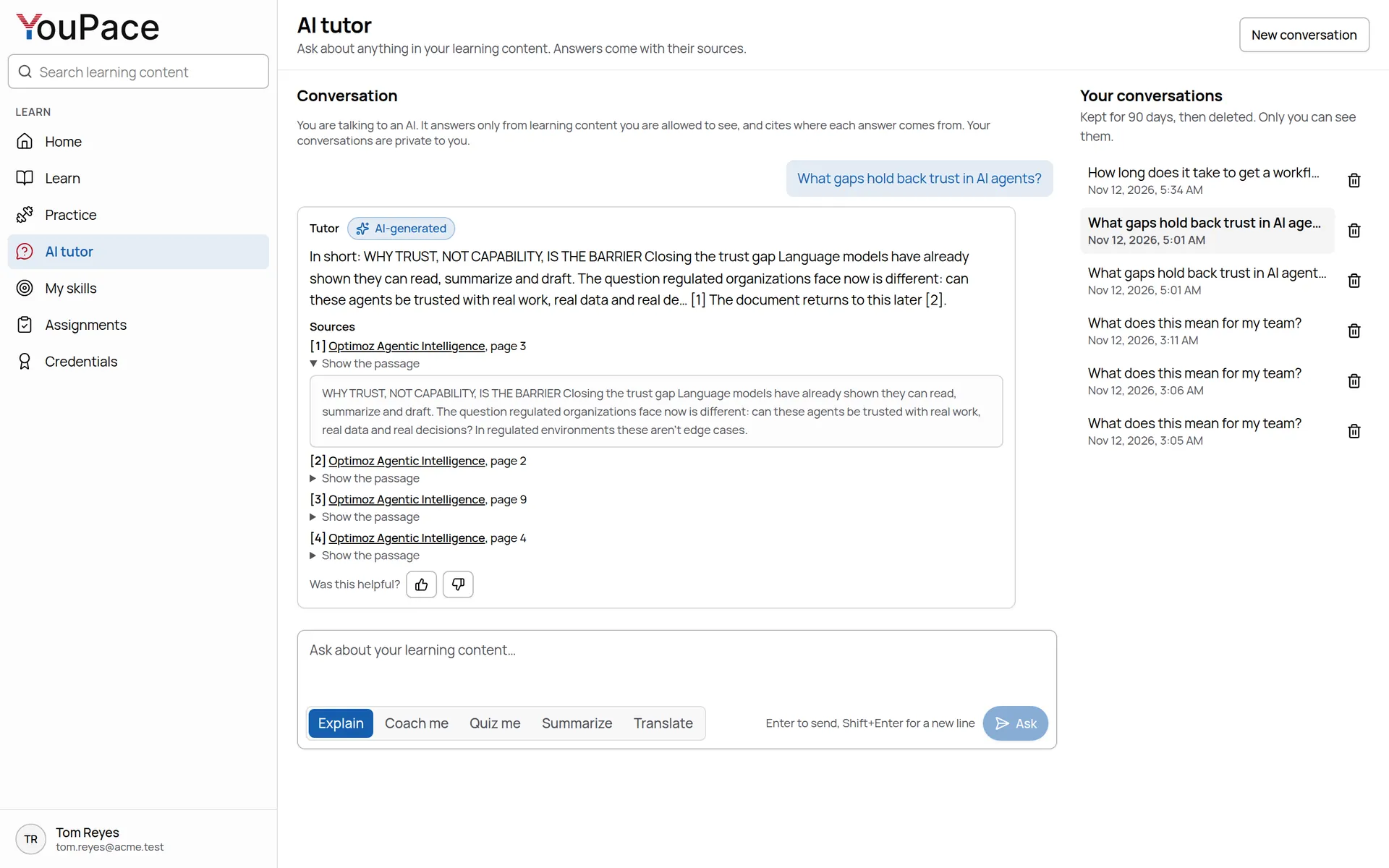
When there is no source, the tutor says so
AI-generatedI could not find this in the learning content available to you, so I will not guess. I have noted the question so the content owners can see what is missing.
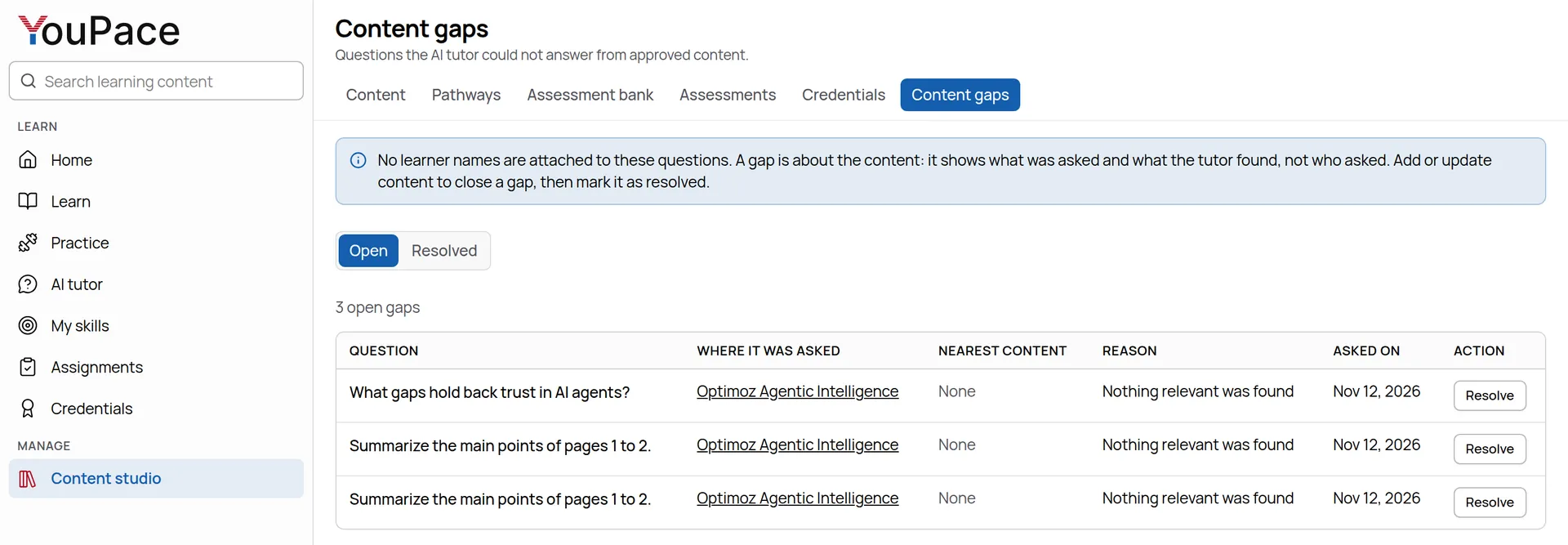
Tutor modes
Five modes. Any part of the page.
Pick a mode
Explain
A straight answer, pitched to the learner’s level.
Ask about
Replies stream as they’re written, with up to three suggested follow-ups.
In the tutor

In the reader

Human in the loop
AI drafts. People decide.
| AI feature | What AI does | What a person does |
|---|---|---|
| Proposed metadata and skill mappings | Proposes details and skills when content is added | Accepts or changes each proposal; publishing waits for every mapping |
| Training courses built by an Optimoz workflow | Your Optimoz workflow builds a course from source material | Reviews the draft like any other content |
| Generated assessment items | Drafts items tied to a source passage and skill | Approves each one before it can be used in a graded assessment |
| Assembled pathway drafts | Assembles a draft pathway for the skills you name | Publishes it, or doesn’t |
| Suggested scores for open responses | Suggests a score for a written answer | Decides the score; a suggestion is never saved by itself |
| Transcripts and summaries of video and audio | Transcribes and summarizes recordings | Checks them before relying on them for compliance captions. They’re labeled AI-generated wherever they appear |
| AI tutor | Answers learners from content they may see | Learners rate replies and can share unhelpful ones for review |
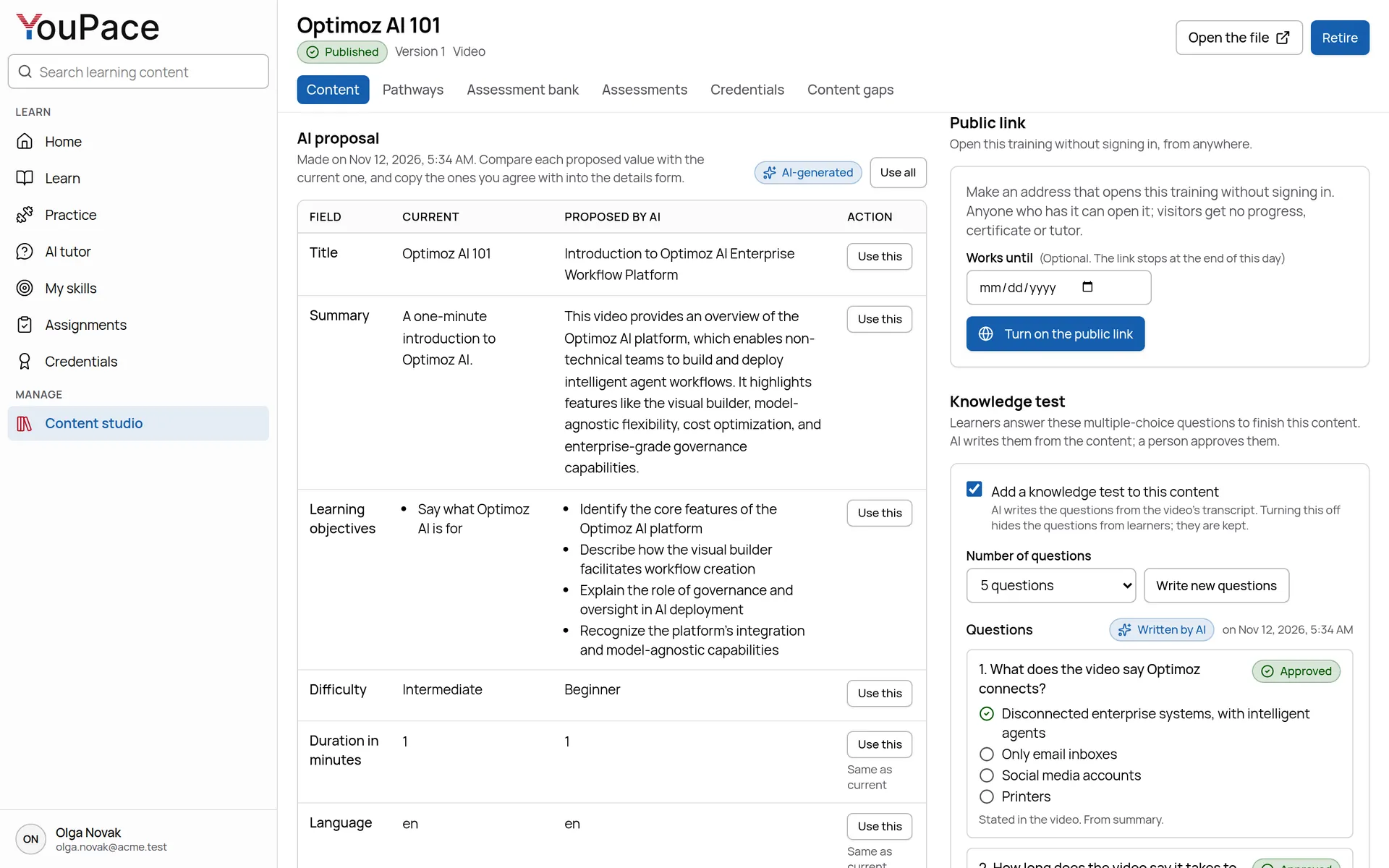
Your organization’s switches
Turn it off. It stays off.
In YouPace, administrators make these choices on the AI policy screen shown alongside.
- Proposed metadata and skill mappings
- Training courses built by an Optimoz workflow from source material
- Generated assessment items
- Assembled pathway drafts
- Suggested scores for open responses
- Transcripts and summaries of video and audio
- AI tutor
7 of 7 AI features on.
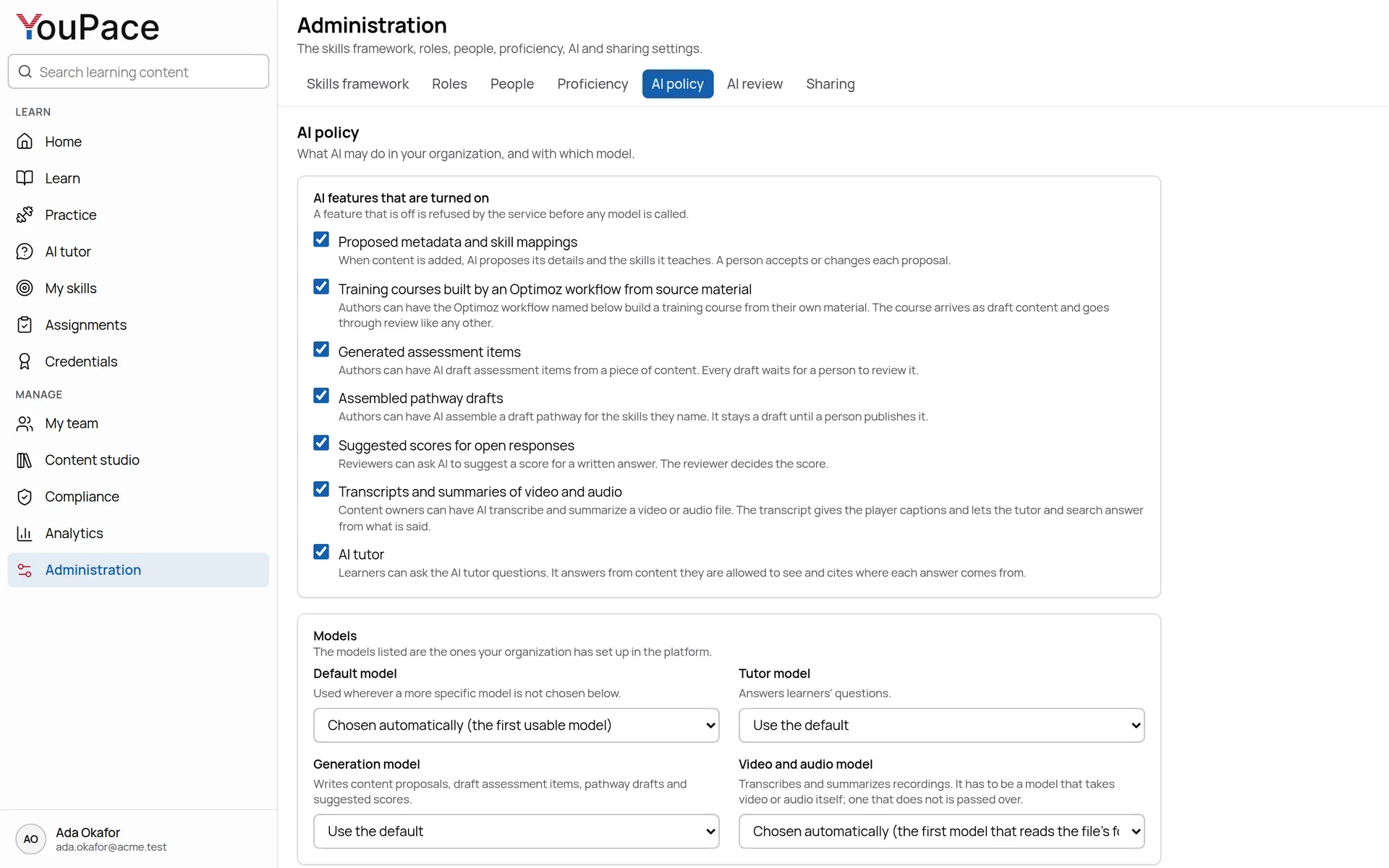
Also on this screen
- A model per job: default, tutor, generation, and video and audio
- The expert-review confidence threshold, 70% by default
- Tutor conversation retention: 90 days by default, from 1 to 3650
- The tutor during graded tests: off, coach only or allowed
- How courses are built: Optimoz workflow or Optimoz AI chat
Traced
Every call recorded. Every flag reviewed.
Usage per feature
See how much each AI feature is used.
Flagged replies
Learners mark a reply unhelpful and choose to share it. Reviewers see the question, the reply and the sources, never who asked.
Content gaps
Questions the tutor couldn’t answer, for authors to close.
Always labeled
Every AI output in YouPace is labeled as AI.
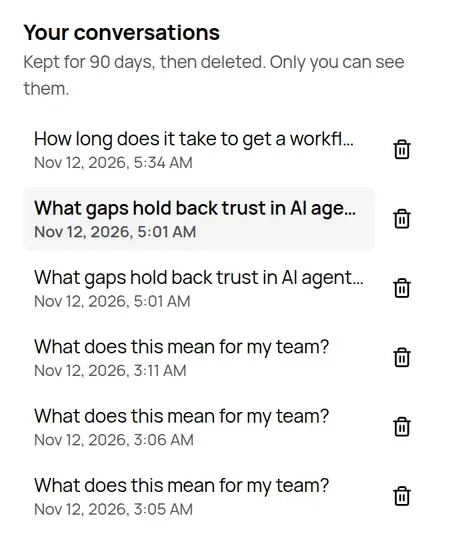
Private by design
Their questions stay theirs.
- No role, not even an administrator, can read another person’s tutor conversations
- Conversations are kept for the period your organization sets, then deleted; learners can delete them sooner
- Learners can download everything held about them, conversations included
- Models come from your organization’s Optimoz model service
FAQ
Straight answers.
Can the tutor make things up?
It answers only from passages retrieved for that learner. It removes citation numbers that don’t match a source, and replaces unsupported answers with “I could not find this”. It can still misread a passage, which is why every answer shows its sources and learners can flag a reply.
Which AI models does YouPace use?
The ones your organization has set up in the Optimoz model service. Administrators choose a model for each job, or let YouPace use the default.
Can we turn AI off?
Yes. Each of the seven AI features has its own switch, and one that’s off is refused before any model is called.
Does AI write our courses?
Your organization’s Optimoz workflow, or Optimoz AI chat, builds the course from your material. YouPace starts the run, follows it, and registers the package, SCORM 1.2 or cmi5 as the author chose, as a draft for your review. What the course contains depends on that workflow.
Who can see what learners ask?
Only the learner sees their conversations. When the tutor can’t answer, the question goes to content gaps for authors without a name, and a reply a learner chooses to flag is shown to reviewers without who asked.
Is the tutor available during tests?
Your organization decides: off, coach only or allowed.
Ask it something. In your demo.
Bring your hardest questions about AI, and we’ll show you the switches, the sources and the trail.